Block trackers and malicious sites with ExpressVPN
Threat Manager has evolved into two separate features under Advanced Protection: Block trackers and Block malicious sites. Toggle on features individually or use them together for more comprehensive protection.
30-DAY MONEY-BACK GUARANTEE FOR FIRST-TIME USERS

Threat Manager is now two Advanced Protection features
Block the most common digital threats today easily with a single app

Block malicious sites
If you’ve ever seen a phishing scam, you know it starts with a link that takes you to a page that looks legitimate, like your bank's login screen. Often scammers steal your password before you realize you’ve entered it on a fake site. A VPN alone can't stop this.
ExpressVPN’s malicious site blocker prevents your device from connecting to known phishing domains, malware sites, and fraudulent websites to reduce the risk of your data being stolen. The malicious site blocker is included with every subscription.
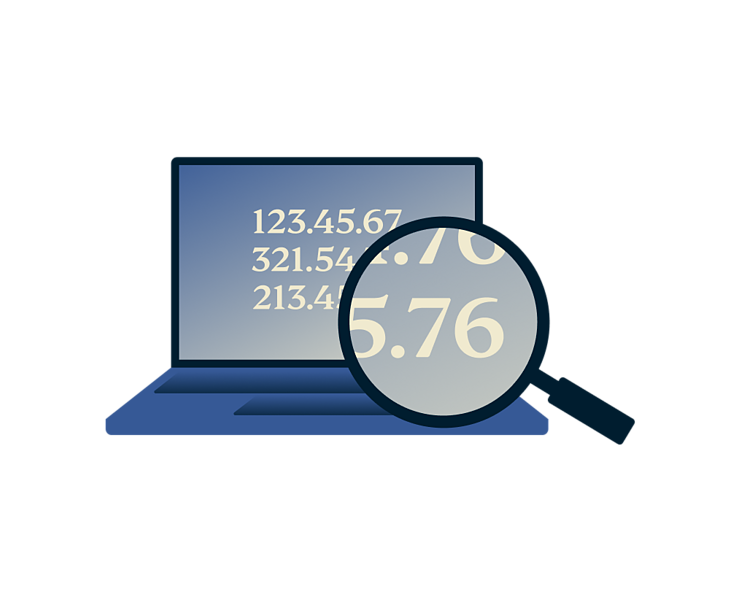
Block trackers
Have you noticed ads for something you viewed recently following you across other websites? Advertising and analytics services can track what you search, view, and click to build a profile of your interests. A VPN hides your IP address, but it doesn't stop this kind of tracking on its own.
When you enable Block trackers in the ExpressVPN app, it prevents connections to known tracking domains as you browse and shop. This limits the data companies can use for targeted advertising. The tracker blocker is available with our Advanced and Express Pro tiers.
What makes ExpressVPN's blockers different
-
Works alongside
your VPNBlockers work alongside VPN protection for better protection against online threats.
-

No extra apps
to installNo separate download, browser extensions, or setup besides the ExpressVPN app.
-
Protects apps
and browsersBlocks connections from apps and websites across your device, not only your browser.
-
Always
up to dateBlocklists are regularly updated, so new threats are automatically covered.
How to enable Block trackers and Block malicious sites
Once enabled, these features work automatically in the background.
-
Step 1
Open Advanced Protection
On desktop or mobile, open the ExpressVPN app and click Add-ons > Advanced Protection. On Apple TV, go to Profile > Advanced Protection.
-
Step 2
Turn on protection features
Enable Block malicious sites and, if available, Block trackers*. On Apple TV, only Block trackers is available.
-
Step 3
Browse with extra protection
Once the features are enabled, you can browse, shop, and search online with better privacy.
*Block trackers is included with ExpressVPN’s Advanced and Express Pro subscriptions
*Tracker blocking on Apple TV is limited to DNS-based requests
Why choose ExpressVPN for online protection?
Combine secure connections with extra protection against threats and tracking
-

More than VPN encryption
Go beyond encrypting your connection with protection against malicious sites, trackers, ads, and adult content.
-

Independently
auditedExpressVPN's independently audited no-logs policy means your online activity isn’t logged and can’t be shared.
-
Built for speed
and privacyEnjoy fast connections with Lightway and privacy-focused infrastructure powered by TrustedServer technology.
-

30-day risk-free
trialFirst-time subscribers can try ExpressVPN with a 30-day money-back guarantee.*
*iOS and Android in-app purchases are subject to the Apple App Store's or Google Play Store's refund policies and are not eligible for ExpressVPN’s 30-day money-back guarantee.
What people are saying about ExpressVPN
See why our happy customers trust us for reliable digital protection
-
Absolutely fantastic. It was the perfect solution for connectivity issues in a game I've been playing recently.
J B


-
ExpressVPN is the perfect all around VPN service for your network security needs.
Dirt_Reynolds


-
ExpressVPN is the fastest VPN I've found. It shows you the fastest server you can connect to, and a list of alternate servers.
Christopher Gilmer
-
#1 Best VPN 2026 & Best Gaming VPN
ExpressVPN is the best Gaming VPN right now, thanks to its impressive speeds, excellent privacy protections and expansive global network of servers.

-
Editor’s Choice Award 2026
ExpressVPN’s expansive network and dedication to staying on the forefront of encryption tech earn it an award.

-
#1 Best VPN for the U.S. 2026
ExpressVPN is the best VPN for the U.S. right now. It has VPN servers in every American state, excellent security, and a simple user interface.

-
 Rated 4.4 out of 5
 -
 Rated 4.7 out of 5






FAQ
Where did Threat Manager go?
Threat Manager isn't a single setting anymore, but it’s now available as two separate features. Both are found under Advanced Protection in your app and can be turned on individually or simultaneously.
What is the difference between Block trackers and Block malicious sites?
The tracker blocker stops connections to known advertising and analytics domains that build a profile of your activity. The malicious site blocker stops connections to known phishing, malware, and fraudulent domains before the page can load. You can enable one or both, depending on your subscription.
Do Block trackers and Block malicious sites features work without the VPN?
No. Both features require an active VPN connection.
Are advanced protection features included with every ExpressVPN subscription?
Every ExpressVPN subscription includes the ad and malicious site blockers, plus parental controls. Our tracker blocker is only available with Advanced and Express Pro subscriptions.
Does Block trackers stop every type of tracking?
No single tool can stop every tracking method. ExpressVPN's tracker blocker stops connections to known advertising and analytics domains, but it can't catch every method used to track you, like cookies or browser fingerprinting. It works best as one layer of protection alongside safe browsing habits.
Does Block malicious sites replace antivirus software?
No. The malicious site blocker blocks connections to known phishing, malware, and fraudulent domains before a page loads, but it isn't a full antivirus solution. It works best alongside antivirus software and safe browsing habits, not as a replacement for either.
Do Block trackers and Block malicious sites work on Linux?
Yes. Both features are available in the ExpressVPN app for Linux.
Can I use Block trackers with the ExpressVPN browser extension?
Yes. When paired with the ExpressVPN desktop app, the browser extension supports advanced protection features like the tracker blocker and malicious site blocker. These features are not available when using the extension in proxy mode.
Get tracker and malicious site protection with ExpressVPN
- Block harmful sites and trackers with a single app
- Works automatically without complicated setups
- New users get a 30-day money-back guarantee
*Contact ExpressVPN support to request a refund.